


Wacom Intuos Small With Bluetooth (Black)
Wacom Intuos Small With Bluetooth (Black)
SKU:CTL-4100WL/K0-CA
Couldn't load pickup availability
UP TO EXTRA 10% OFF
On purchase of ₹500+ (use code: SHOPBFSALE)
New Wacom Intuos Small With Bluetooth Creative Pen Tablet
Whatever you love to create, Wacom Intuos can help you find new ways to draw, paint and edit your photos. It's easy to setup and use, and up to three unique creative applications are included for you*.
Bring your creativity to life, digitally
Our latest pen tablet technology has been designed for those who are drawing, painting and photo editing with their Mac or PC for the first time. Whether it's the light super-accurate pen, the stylish design, the simple setup or the applications and online tutorials, New Intuos is all you need to get creative digitally.
Create what you want, the way you want
However you visually express yourself, there's a Wacom Intuos for you. A pen tablet that is designed entirely around your passion, it gives you all the tools you need to enhance your creativity. And its versatility and ease-of-use means you can customize Wacom Intuos to fit your own way of working. Whether you love to draw manga art, paint digital water colors or add a dash of magic to your photos, you can tailor Wacom Intuos to suit your style, your way.
Get creative from the get-go
Getting started is quick and easy. Just connect the pen tablet to your Mac or PC via USB, download and install the driver, complete the easy registration and you're good to go. And with online tutorials and free downloadable software*, you'll be creating in no time
A natural partnership
The first thing you'll experience when using Wacom Intuos is how natural it feels.
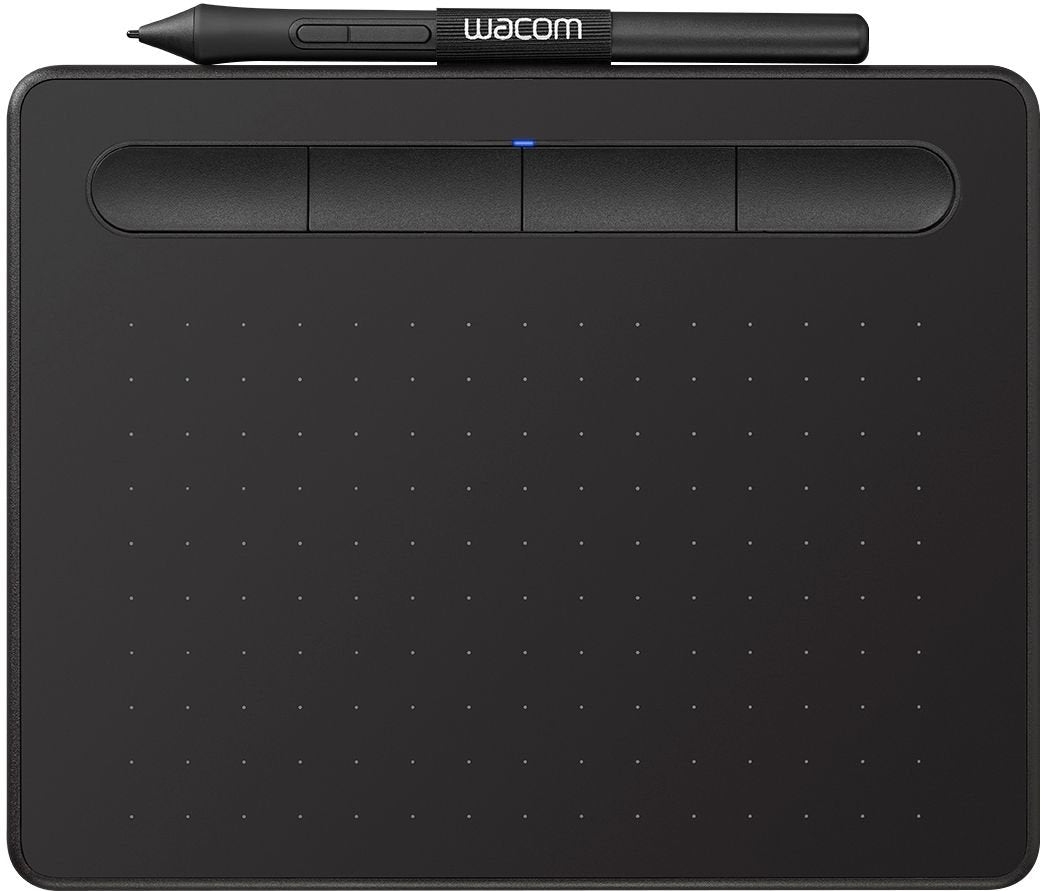
For a start there's the 4k pressure-sensitive pen. Designed to suit both left- and right-handed users, its ergonomic design, low 7mm reading height, higher linearity and weight-balance calibration deliver better precision and control. This enables you to glide across the tablet with ease and accurately recreate your vision. It's just like pen on paper. In addition, it features two pen buttons for customized functionality and nib storage with three accessory nibs for different styles of drawing. And as the pen uses Electro-Magnetic Resonance Technology (EMR), it is battery-free and doesn't require any charging, there's no interruption when you're in full flow.
The pen is also fine-tuned for progressive scrolling so you can breeze through all your favourite web pages.
Then there are the tablet's features that make the whole experience hassle-free. These include its dynamic built-in pen tray design that stops the pen from rolling off the tablet, four ExpressKeys™ you can customize for short-cut controls and 4.2 Bluetooth* connectivity.
Strong and stylish
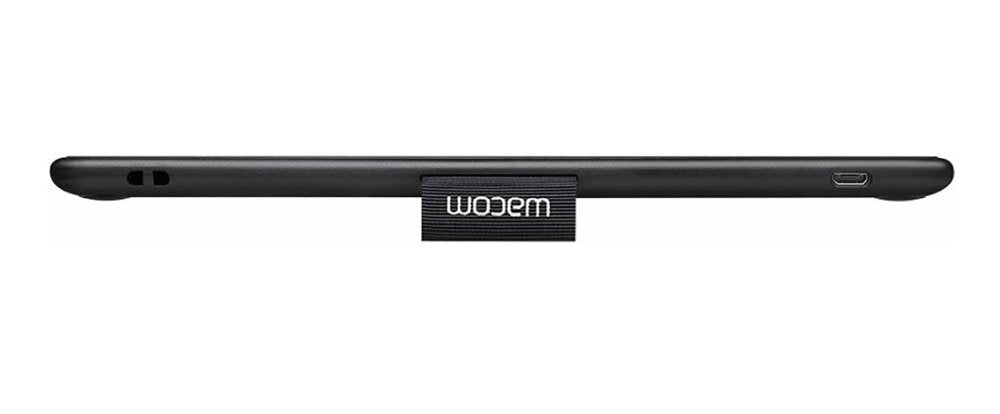
Wacom Intuos has a fresh and vibrant design. It's now super slim (as thin as your typical smartphone), ultra-light (Bluetooth model S size only 250g and M size only 410g) and easy to take anywhere. Its new streamlined look and feel means it hardly takes up any desk space too. But don't be fooled, this sleek and stylish pen tablet is still as durable and robust as ever. And no matter the décor of your studio, study or bedroom, Wacom Intuos is available in black, pistachio and berry colours that suit any surrounding.
Don't limit your imagination. Unleash it with Wacom Intuos.


Video
PRODUCT FAQ
What are the improvements on Huion Inspiroy 2 series of drawing tablets?
Huion Inspiroy 2 S/M/L is the industry's first drawing tablet to combine an attractive appearance with an innovative Scroller. In addition, it comes with a new battery-free pen powered by Huion PenTech 3.0 technology. Whether you are a beginner or a professional, this tablet series will meet your needs. And the sheet clearly shows you the improvements on Inspiroy 2.
Is it only for drawing or can I use it with other software?
It can replace a computer mouse and be used for image editing, illustration, animation, graphic design, annotation, online learning, remote working with most creative software as well as many online learning applications and platforms on PC and Mac.
How to know if my mobile phone or tablet is compatible with this tablet?
Your phone or tablet must be equipped with Android 6.0 or above and should have an OTG function. If you are not sure, please consult our customer support team for further information.
What do the marks on the tablet surface mean?
The four right angle marks around the corners indicate the working area or active area of the drawing tablet for PC Mode.
Featured collection
-
Example product title
Regular price Rs. 19.99Regular price -
Example product title
Regular price Rs. 19.99Regular price -
Example product title
Regular price Rs. 19.99Regular price -
Example product title
Regular price Rs. 19.99Regular price